NinjaTrader Prop Firms 2026: Futures Prop Trading with NinjaTrader - Complete Guide
NinjaTrader is a popular platform for futures traders offering advanced charting, automated trading, and market analysis tools. Several futures prop firms support NinjaTrader 8, providing traders with professional-grade tools for prop trading. This comprehensive guide covers everything you need to know about NinjaTrader prop firms in 2026.

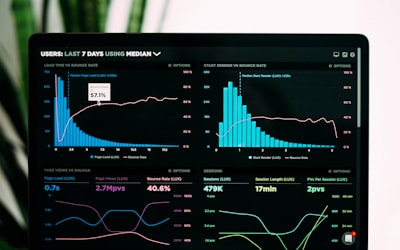
NinjaTrader prop firms provide access to professional futures trading platforms. Source: Unsplash
What Are NinjaTrader Prop Firms?
NinjaTrader prop firms are proprietary trading companies that support the NinjaTrader platform, a professional-grade futures trading platform developed by NinjaTrader, LLC. NinjaTrader is known for its advanced charting capabilities, powerful automated trading features, comprehensive market analysis tools, and Depth of Market (DOM) trading interface.
NinjaTrader 8 is the current version, offering desktop-based trading with extensive customization options, C#-based automated trading, and professional-grade charting tools. Many futures prop firms support NinjaTrader because it's the platform of choice for serious futures traders who need advanced features and automation capabilities.
Leading prop firms supporting NinjaTrader include TopStep (full NinjaTrader 8 integration), Apex Trader Funding (NinjaTrader support with competitive pricing), and Take Profit Trader (NinjaTrader compatible). Compare all options using our prop firm comparison tool or explore futures prop firms for other platform options.
Top NinjaTrader Prop Firms 2026
1. TopStep
TopStep offers full NinjaTrader 8 integration, making it the industry-leading choice for NinjaTrader traders. TopStep's Trading Combine program works seamlessly with NinjaTrader, providing access to all platform features including advanced charting, automated trading, and DOM trading.
TopStep's NinjaTrader support includes comprehensive integration with their evaluation and funded account systems. The firm offers account sizes from $50,000 to $150,000 with 90% profit splits and excellent educational resources for traders learning futures trading.
TopStep's educational focus and trader development programs work particularly well with NinjaTrader's advanced features, making it ideal for traders who want to learn professional futures trading while using industry-standard tools. The combination of TopStep's support and NinjaTrader's capabilities creates an excellent learning and trading environment.
2. Apex Trader Funding
Apex Trader Funding offers NinjaTrader support with competitive pricing and flexible rules. Their PA (Performance Account) model works seamlessly with NinjaTrader, providing traders with professional tools and favorable trading conditions.
Apex Trader Funding's NinjaTrader integration provides access to all platform features including automated trading, advanced charting, and DOM trading. The firm offers account sizes from $25,000 to $300,000 with 90% profit splits and no daily drawdown on most accounts.
3. Take Profit Trader
Take Profit Trader offers NinjaTrader compatibility with flexible trading rules. The firm's evaluation and funded account systems work well with NinjaTrader's advanced features, making it attractive for experienced futures traders.
Take Profit Trader's NinjaTrader support allows traders to leverage the platform's automation and analysis tools while benefiting from the firm's flexible trading conditions. This combination is ideal for traders who want maximum flexibility with professional tools.
4. My Funded Futures
My Funded Futures supports NinjaTrader alongside other platforms, giving traders platform choice. Their flexible rules and NinjaTrader support make them attractive for traders who want professional tools with minimal restrictions.
5. Other NinjaTrader Prop Firms
Several other futures prop firms support NinjaTrader including various smaller and specialized firms. When choosing a NinjaTrader prop firm, verify full platform support, check execution quality, and ensure the firm's rules match your trading style.
Why Use NinjaTrader for Prop Trading?
Advanced Charting
NinjaTrader offers professional-grade charts with extensive customization options, hundreds of built-in indicators, and advanced drawing tools. The charting interface is designed for serious traders who need sophisticated analysis capabilities.
For prop traders, advanced charting helps identify high-probability setups, analyze market structure, and make informed trading decisions. NinjaTrader's charting capabilities rival or exceed those of professional trading platforms.
Automated Trading (C#)
NinjaTrader supports automated trading through C# programming, allowing traders to create sophisticated trading strategies, indicators, and add-ons. This is more powerful than MQL used in MetaTrader, offering access to the full .NET framework.
For prop traders using algorithmic strategies, NinjaTrader's C# automation provides professional-grade capabilities. You can backtest strategies, optimize parameters, and deploy automated systems on live accounts with full control.
DOM Trading
NinjaTrader's Depth of Market (DOM) interface provides fast order entry and position management. The DOM shows real-time order flow, allowing traders to see where large orders are placed and execute trades quickly.
DOM trading is essential for active futures traders who need to enter and exit positions quickly. NinjaTrader's DOM is one of the best in the industry, providing professional-grade order entry capabilities.
Free to Use
NinjaTrader offers a free version that includes real-time data and most trading features. While a paid license is available for advanced features, the free version is sufficient for most prop trading needs, making it accessible to all traders.
The free version includes charting, automated trading, backtesting, and most features needed for prop trading. This eliminates platform costs, which is important for prop traders who share profits with firms.
Backtesting
NinjaTrader's backtesting engine allows traders to test strategies on historical data, helping validate approaches before using them in evaluations or funded accounts. The backtesting is comprehensive and accurate.
For prop traders, backtesting helps ensure strategies are viable before risking evaluation fees. You can test strategies across different market conditions, optimize parameters, and gain confidence in your approach.
Professional Tools
NinjaTrader provides professional-grade tools including advanced order types, market replay for strategy testing, trade performance analytics, and comprehensive market data. These tools help traders operate at a professional level.
The professional tools available in NinjaTrader help prop traders manage risk, analyze performance, and optimize strategies. These capabilities are essential for serious traders who want to maximize profitability.
NinjaTrader vs Tradovate: Detailed Comparison
| Feature | NinjaTrader | Tradovate |
|---|---|---|
| Platform Type | Desktop Application | Cloud/Web-Based |
| Accessibility | Desktop Only | Any Device, Anywhere |
| Automation | Advanced (C#) | Basic |
| Charting | Professional-Grade | Good |
| Learning Curve | Moderate | Easy |
| Pricing | Free Version Available | Competitive, Commission-Free Options |
| Mobile App | Limited | Full-Featured |
| Best For | Advanced Automation, Analysis | Accessibility, Simplicity |
Setting Up NinjaTrader with Prop Firms
Step 1: Download NinjaTrader 8
Download NinjaTrader 8 from the official NinjaTrader website. The free version includes all features needed for prop trading, including real-time data, charting, automated trading, and backtesting. A paid license is available for advanced features, but the free version is sufficient for most traders.
Installation is straightforward—follow the setup wizard and ensure you have the necessary system requirements. NinjaTrader 8 runs on Windows and requires a stable internet connection for real-time data.
Step 2: Connect to Prop Firm Data Feed
Your prop firm will provide connection instructions and credentials for their data feed. In NinjaTrader, go to Connections and add a new connection using the firm's server address and your account credentials. The connection process is similar to connecting to any broker.
Ensure you're connecting to the correct server (demo for evaluation, live for funded accounts). Most prop firms provide detailed setup instructions specific to NinjaTrader connections.
Step 3: Configure Your Trading Workspace
Customize NinjaTrader's interface to match your trading style. Set up charts with your preferred indicators, configure the DOM for order entry, arrange windows for efficient workflow, and save workspace layouts for quick access.
NinjaTrader's interface is highly customizable—take time to set it up optimally for your workflow. You can create multiple workspace configurations for different trading strategies or timeframes.
Step 4: Test Your Setup
Before starting an evaluation, test your NinjaTrader setup thoroughly. Verify data feed connectivity, test order entry, check that indicators load correctly, and ensure automated strategies (if using) function properly. This helps avoid technical issues during your evaluation.
Many prop firms offer demo accounts or practice periods where you can test your setup. Take advantage of these to ensure everything works correctly before starting a paid evaluation.
NinjaTrader Automated Trading for Prop Firms
NinjaTrader supports automated trading through C# programming, which is more powerful than MQL used in MetaTrader. If you're familiar with C# or willing to learn, NinjaTrader's automation offers professional-grade capabilities for prop trading.
Key NinjaTrader Automation Features:
- C# Programming: Uses standard C# syntax with access to the full .NET framework, making it accessible to developers familiar with C#
- Strategy Builder: Visual strategy builder for traders who prefer not to code, allowing strategy creation through point-and-click interface
- Backtesting: Comprehensive backtesting engine to test strategies on historical data before deploying live
- Optimization: Optimize strategy parameters to find best settings for your trading approach
- Market Replay: Replay historical market data to test strategies in realistic conditions
- Live Trading: Deploy automated strategies on live accounts with full control and monitoring
Prop Firm Considerations:
- Verify the prop firm allows automated trading (most do, but check rules)
- Ensure your automated strategy complies with all trading rules (minimum hold times, etc.)
- Test your strategy thoroughly using backtesting and market replay before using it in an evaluation
- Understand that automated strategies must still meet profit targets and drawdown limits
- Monitor automated strategies closely, especially during initial deployment
For traders already using MetaTrader EAs, transitioning to NinjaTrader requires learning C# and rewriting strategies. However, NinjaTrader's advanced automation capabilities, comprehensive backtesting, and professional tools can make it worth the effort for serious algorithmic traders.
Advantages of NinjaTrader for Prop Trading
Professional-Grade Tools
NinjaTrader provides professional-grade charting, automation, and analysis tools that rival institutional platforms. For prop traders, these tools help identify opportunities, manage risk, and optimize strategies effectively.
Advanced Automation
C#-based automation provides more power and flexibility than MQL, allowing traders to create sophisticated automated strategies. This is particularly valuable for algorithmic traders who need advanced automation capabilities.
Comprehensive Backtesting
NinjaTrader's backtesting engine helps validate strategies before risking evaluation fees. You can test strategies across different market conditions, optimize parameters, and gain confidence in your approach.
Free Version Available
The free version includes all features needed for prop trading, eliminating platform costs. This is important for prop traders who share profits with firms—every dollar saved on platform fees is a dollar that can compound through trading.
Limitations of NinjaTrader for Prop Trading
Desktop-Only Platform
NinjaTrader is a desktop application, meaning you can only access it from the computer where it's installed. Unlike cloud-based platforms, you can't trade from multiple devices or locations easily. This limits flexibility for traders who need mobile access.
C# Learning Curve
If you want to use automated trading, NinjaTrader requires C# knowledge, which is different from MQL used in MetaTrader. If you're already proficient in MQL, learning C# for NinjaTrader requires additional time and effort. However, the Strategy Builder provides a visual alternative for non-programmers.
Windows-Only
NinjaTrader 8 runs only on Windows, limiting accessibility for Mac or Linux users. While you can use virtualization or Boot Camp on Mac, this adds complexity. Cloud-based platforms like Tradovate work on any operating system.
Limited Mobile Access
NinjaTrader's mobile capabilities are limited compared to cloud-based platforms. While you can monitor some aspects remotely, full trading functionality requires the desktop application. This can be limiting for active traders who need mobile access.
Frequently Asked Questions
Is NinjaTrader better than Tradovate for prop trading?
NinjaTrader is better for advanced automation and professional-grade charting, while Tradovate is better for accessibility and simplicity. The choice depends on your priorities: NinjaTrader for advanced features and automation; Tradovate for modern, accessible trading.
Can I use NinjaTrader on Mac?
NinjaTrader 8 runs only on Windows. Mac users can use virtualization software (Parallels, VMware) or Boot Camp to run Windows, or use cloud-based platforms like Tradovate that work natively on Mac. However, virtualization adds complexity and may impact performance.
Do all futures prop firms support NinjaTrader?
Most major futures prop firms support NinjaTrader, including TopStep, Apex Trader Funding, and Take Profit Trader. However, some smaller firms may only support other platforms. If NinjaTrader is important to you, verify platform support before choosing a prop firm.
Is NinjaTrader free to use with prop firms?
Yes, NinjaTrader offers a free version that works with prop firms. The free version includes real-time data, charting, automated trading, and backtesting—all features needed for prop trading. A paid license is available for advanced features, but the free version is sufficient for most traders.
Can I use automated strategies with NinjaTrader prop firms?
Yes, most prop firms that support NinjaTrader allow automated trading strategies. However, you must ensure your automated strategy complies with all trading rules (minimum hold times, etc.) and passes the evaluation using the strategy. Always verify the firm's automation policies before deploying automated strategies.
What futures contracts can I trade on NinjaTrader?
NinjaTrader supports all major futures contracts including ES (S&P 500), NQ (NASDAQ), YM (Dow Jones), RTY (Russell 2000), CL (Crude Oil), GC (Gold), and many others. The exact contracts available depend on your prop firm's offerings and account type. Most futures prop firms offer access to major index, commodity, and currency futures.
Related Resources
Futures Prop Firms
Futures proprietary trading firms
Tradovate Prop Firms
Cloud-based futures prop trading
Index Futures Prop Firms
S&P 500, NASDAQ, Dow Jones prop firms
Best Prop Firms
Top-rated proprietary trading firms
All Prop Firms
Complete directory of prop firms
Compare Prop Firms
Compare all prop firms side-by-side