Tradovate Prop Firms 2026: Cloud-Based Futures Trading - Complete Guide
Tradovate is a modern, cloud-based futures trading platform known for its competitive pricing, web-based accessibility, and user-friendly interface. Several futures prop firms now support Tradovate, offering traders a flexible, modern alternative to traditional desktop platforms. This comprehensive guide covers everything you need to know about Tradovate prop firms in 2026.

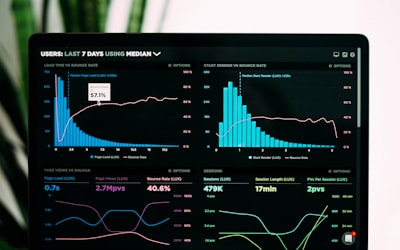
Tradovate prop firms provide access to modern cloud-based futures trading platforms. Source: Unsplash
What Are Tradovate Prop Firms?
Tradovate prop firms are proprietary trading companies that support the Tradovate trading platform, a modern cloud-based futures trading platform developed specifically for futures traders. Tradovate is known for its competitive pricing, web-based accessibility, intuitive interface, and commission-free trading options, making it an attractive choice for both retail and prop traders.
Unlike traditional desktop platforms that require software installation, Tradovate is cloud-based, meaning you can access it from any device with an internet connection—desktop, laptop, tablet, or mobile. This flexibility, combined with Tradovate's modern design and competitive pricing, has made it increasingly popular among futures prop traders.
Leading prop firms supporting Tradovate include Apex Trader Funding (full Tradovate integration), TopStep (Tradovate supported alongside NinjaTrader), and My Funded Futures (Tradovate compatible). Compare all options using our prop firm comparison tool or explore futures prop firms for other platform options.
Top Tradovate Prop Firms 2026
1. Apex Trader Funding
Apex Trader Funding offers full Tradovate integration, allowing traders to use Tradovate's cloud-based platform for both evaluation challenges and funded accounts. Apex Trader Funding's Tradovate support provides access to all platform features including web-based trading, mobile app, and competitive pricing.
Apex Trader Funding's PA (Performance Account) model works seamlessly with Tradovate, offering traders flexibility to trade from any device. The firm's 90% profit split, competitive pricing, and Tradovate integration make it one of the best choices for traders who prefer cloud-based platforms.
Tradovate's cloud-based architecture means you can start trading on your desktop, monitor positions on your tablet, and manage trades on your mobile device—all seamlessly. This flexibility is particularly valuable for active futures traders who need to monitor markets throughout the day.
2. TopStep
TopStep supports Tradovate alongside NinjaTrader and other platforms, giving traders platform choice. TopStep's Tradovate integration provides access to cloud-based trading with their industry-leading Trading Combine program.
TopStep's educational focus and trader development programs work well with Tradovate's user-friendly interface, making it ideal for traders new to futures or those transitioning from other markets. The combination of TopStep's support and Tradovate's modern platform creates an excellent learning environment.
3. My Funded Futures
My Funded Futures offers Tradovate compatibility for both evaluation and funded accounts. The firm's flexible rules and Tradovate support make it attractive for traders who want cloud-based trading with minimal restrictions.
My Funded Futures' Tradovate integration allows traders to take advantage of the platform's competitive pricing and modern interface while benefiting from the firm's flexible trading conditions. This combination is ideal for experienced traders who want maximum flexibility.
Why Choose Tradovate for Prop Trading?
Cloud-Based Accessibility
Tradovate's cloud-based architecture means you can trade from any device with an internet connection—desktop, laptop, tablet, or mobile. This eliminates the need for software installation and allows you to access your trading account from anywhere, making it ideal for traders who need flexibility.
The cloud-based approach also means automatic updates, no software conflicts, and seamless synchronization across devices. You can start a trade on your desktop, monitor it on your tablet, and close it on your mobile—all seamlessly.
Modern, Intuitive Interface
Tradovate features a clean, modern interface designed for ease of use. Unlike older platforms that can be overwhelming, Tradovate's interface is intuitive and doesn't require extensive learning. This makes it ideal for traders new to futures or those transitioning from other markets.
The modern design includes responsive charts, easy order entry, and clear position management. Everything is designed for efficiency and ease of use, reducing the learning curve and allowing traders to focus on trading rather than fighting with the platform.
Competitive Pricing
Tradovate offers competitive pricing with commission-free options available. Many prop firms that support Tradovate pass these cost savings to traders, resulting in lower trading costs compared to traditional platforms. This can significantly impact profitability, especially for active traders.
The competitive pricing, combined with Tradovate's efficient execution, helps traders maximize profitability. Lower costs mean more of your profits stay with you, which is crucial for prop traders who share profits with the firm.
Full-Featured Mobile App
Tradovate offers a full-featured mobile app that allows you to trade, monitor positions, and manage your account from anywhere. Unlike many platforms that offer limited mobile functionality, Tradovate's mobile app provides comprehensive trading capabilities.
The mobile app is particularly valuable for active traders who need to monitor positions throughout the day or respond quickly to market movements. You're not limited to your desktop—you can manage your trading account from anywhere.
No Software Installation Required
Since Tradovate is cloud-based, there's no software to download or install. You simply log in through your web browser and start trading. This eliminates installation issues, software conflicts, and compatibility problems that can plague desktop platforms.
The web-based approach also means automatic updates—you always have the latest version without needing to manually update software. This reduces maintenance and ensures you're always using the most current platform features.
Fast Execution
Tradovate provides fast, reliable execution for futures trading. The platform is designed for efficiency, with quick order routing and minimal latency. For prop traders, fast execution is crucial for capturing opportunities and managing risk effectively.
The combination of fast execution and competitive pricing makes Tradovate attractive for active traders who need reliable performance. You can execute trades quickly without worrying about platform lag or execution delays.
Tradovate vs NinjaTrader: Detailed Comparison
| Feature | Tradovate | NinjaTrader |
|---|---|---|
| Platform Type | Cloud/Web-Based | Desktop Application |
| Accessibility | Any Device, Anywhere | Desktop Only |
| Installation | None Required | Software Installation |
| Automation | Basic | Advanced (C#) |
| Charting | Good | Professional-Grade |
| Learning Curve | Easy | Moderate |
| Pricing | Competitive, Commission-Free Options | Varies by Broker |
| Mobile App | Full-Featured | Limited |
| Best For | Accessibility, Simplicity | Advanced Automation, Analysis |
How to Choose a Tradovate Prop Firm
1. Verify Full Tradovate Support
Not all prop firms that mention Tradovate offer full platform support. Verify that the firm provides complete Tradovate access including web-based trading, mobile app, and all platform features. Check if Tradovate is available for both evaluation and funded accounts, and ensure there are no limitations on Tradovate features.
2. Check Execution Quality
Since Tradovate's main advantage is modern technology and competitive pricing, verify that the prop firm's Tradovate connection provides good execution quality. Check reviews and ask about execution speeds, slippage, and platform reliability. The whole point of using Tradovate is modern, efficient trading, so ensure the firm delivers on this.
3. Evaluate Profit Splits and Rules
Platform choice is important, but don't sacrifice good profit splits or favorable trading rules just for Tradovate support. Compare the firm's profit splits, drawdown limits, profit targets, and other rules against other top prop firms. The platform is a tool, but the firm's terms determine your profitability.
4. Consider Platform Alternatives
Many futures prop firms support multiple platforms. If a firm offers both Tradovate and NinjaTrader, you have flexibility to switch if needed. However, if you're committed to Tradovate, ensure the firm's Tradovate support is robust and not just a secondary option. Check if they offer platform-specific support and resources.
5. Test the Platform
Before committing to a Tradovate prop firm, test the platform if possible. Many firms offer demo accounts or free trials where you can experience Tradovate's interface and features. This helps ensure Tradovate matches your trading style and that you're comfortable with the platform before starting an evaluation.
Setting Up Tradovate with Prop Firms
Step 1: Create Tradovate Account
Your prop firm will provide Tradovate login credentials or instructions for account creation. Since Tradovate is web-based, you don't need to download software—simply visit the Tradovate website and log in with your credentials.
The account setup process is straightforward and typically takes just a few minutes. Your prop firm will guide you through the process and provide any necessary account information or configuration details.
Step 2: Access Web Platform or Mobile App
Once your account is set up, you can access Tradovate through the web platform (any browser) or download the mobile app. The web platform works on any device with a modern browser, while the mobile app provides full trading functionality on iOS and Android devices.
Choose the access method that best fits your trading style. Many traders use the web platform on desktop for detailed analysis and the mobile app for monitoring positions and quick trades.
Step 3: Configure Your Workspace
Customize Tradovate's interface to match your trading style. Arrange charts, set up watchlists, configure order entry preferences, and organize your workspace. Tradovate's modern interface is highly customizable, so take time to set it up optimally for your workflow.
Save your workspace layout so you can quickly restore it. Tradovate allows multiple workspace configurations, which is useful if you trade different strategies or timeframes.
Step 4: Familiarize Yourself with Features
Explore Tradovate's features including order entry, position management, charting tools, and mobile app capabilities. Understanding these features helps you maximize Tradovate's advantages and trade more effectively.
Many prop firms provide educational resources or support for Tradovate setup. Take advantage of these resources to ensure you're using the platform effectively and complying with all trading rules.
Advantages of Tradovate for Prop Trading
Maximum Flexibility
Cloud-based access means you can trade from anywhere, on any device. This flexibility is invaluable for active traders who need to monitor markets and manage positions throughout the day, regardless of location.
Lower Costs
Competitive pricing and commission-free options help reduce trading costs, which directly impacts profitability. Lower costs mean more of your profits stay with you, which is crucial for prop traders.
Easy to Learn
Tradovate's intuitive interface reduces the learning curve, allowing traders to focus on trading rather than fighting with the platform. This is particularly valuable for traders new to futures or transitioning from other markets.
Modern Technology
Cloud-based architecture means automatic updates, no software conflicts, and access to the latest features. You're always using the most current platform without needing to manually update software.
Limitations of Tradovate for Prop Trading
Limited Automation
Tradovate offers basic automation capabilities, but it's not as advanced as NinjaTrader's C# automation. If you rely heavily on automated trading strategies, NinjaTrader might be a better choice. However, for manual traders, Tradovate's automation is sufficient.
Less Advanced Charting
While Tradovate's charting is good, it's not as advanced as NinjaTrader's professional-grade charting tools. If you need sophisticated technical analysis tools, NinjaTrader might be better. However, for most traders, Tradovate's charting is sufficient.
Internet Dependency
Since Tradovate is cloud-based, you need a reliable internet connection. If your internet is unstable, you might experience connectivity issues. However, this is becoming less of a concern as internet reliability improves globally.
Smaller Prop Firm Support
While Tradovate support is growing, it's still not as widely supported as NinjaTrader among futures prop firms. However, major firms like Apex Trader Funding and TopStep do support it, and support is expanding.
Frequently Asked Questions
Is Tradovate better than NinjaTrader for prop trading?
Tradovate is better for accessibility, simplicity, and cloud-based flexibility, while NinjaTrader is better for advanced automation and professional-grade charting. The choice depends on your priorities: Tradovate for modern, accessible trading; NinjaTrader for advanced features and automation.
Can I use Tradovate on mobile?
Yes, Tradovate offers a full-featured mobile app for iOS and Android that allows you to trade, monitor positions, and manage your account from anywhere. The mobile app provides comprehensive trading capabilities, not just basic monitoring.
Do all futures prop firms support Tradovate?
No, Tradovate support is still growing compared to NinjaTrader. Major futures prop firms like Apex Trader Funding and TopStep support Tradovate, but many smaller firms only offer NinjaTrader. If Tradovate is important to you, verify platform support before choosing a prop firm.
Is Tradovate free to use with prop firms?
Yes, Tradovate is typically free to use with prop firms. Most futures prop firms that support Tradovate provide access to the platform as part of their service, just like they do with other platforms. However, always check the firm's fee structure to ensure there are no hidden platform fees.
Can I switch between Tradovate and NinjaTrader?
If your prop firm supports both platforms, you can typically use either one. However, you usually can't switch platforms mid-evaluation—you need to complete your evaluation on the platform you started with. Once funded, some firms allow platform switching, but always verify the firm's policies.
What futures contracts can I trade on Tradovate?
Tradovate supports all major futures contracts including ES (S&P 500), NQ (NASDAQ), YM (Dow Jones), RTY (Russell 2000), CL (Crude Oil), GC (Gold), and many others. The exact contracts available depend on your prop firm's offerings and account type.
Related Resources
Futures Prop Firms
Futures proprietary trading firms
NinjaTrader Prop Firms
NinjaTrader platform prop trading firms
Index Futures Prop Firms
S&P 500, NASDAQ, Dow Jones prop firms
Best Prop Firms
Top-rated proprietary trading firms
All Prop Firms
Complete directory of prop firms
Compare Prop Firms
Compare all prop firms side-by-side