cTrader Prop Firms 2026: Best ECN Platform Prop Trading - Complete Guide
cTrader is a professional-grade ECN trading platform known for its transparent pricing, advanced order execution, and modern interface. Several forex prop firms now support cTrader, offering traders access to true ECN execution and level 2 pricing. This comprehensive guide covers everything you need to know about cTrader prop firms in 2026.

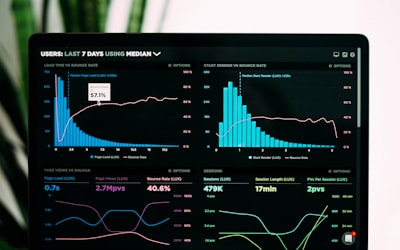
cTrader prop firms provide access to professional ECN trading platforms with transparent execution. Source: Unsplash
What Are cTrader Prop Firms?
cTrader prop firms are proprietary trading companies that support the cTrader trading platform, a professional-grade ECN (Electronic Communication Network) platform developed by Spotware Systems. cTrader is known for its transparent pricing, advanced order execution, modern interface, and true ECN connectivity that provides direct market access with level 2 pricing.
Unlike traditional broker platforms, cTrader offers complete transparency in execution, showing traders the full order book (Depth of Market) and providing true ECN execution where orders are matched directly with liquidity providers. This makes it ideal for professional traders who value execution quality and pricing transparency.
Leading prop firms supporting cTrader include FTMO (offers cTrader alongside MT4/MT5), FundedNext (cTrader available for evaluation and funded accounts), and several other reputable firms. Compare all options using our prop firm comparison tool or explore MT4 prop firms and MT5 prop firms for alternative platform options.
Top cTrader Prop Firms 2026
1. FTMO
FTMO offers cTrader alongside MT4 and MT5, giving traders platform choice. FTMO's cTrader integration provides full platform support with access to all cTrader features including cAlgo automated trading, Depth of Market, and advanced charting tools.
FTMO's cTrader support is available for both evaluation challenges and funded accounts. Traders can use cTrader's true ECN execution to benefit from transparent pricing and direct market access. FTMO's industry-leading reputation and up to 90% profit split make it an excellent choice for cTrader traders.
The platform integration is seamless, with FTMO providing full support for cTrader's features including automated trading through cAlgo, advanced order types, and comprehensive charting tools. This makes FTMO ideal for traders who prefer cTrader's modern interface and execution transparency.
2. FundedNext
FundedNext offers cTrader support for both evaluation challenges and funded accounts. Their cTrader integration provides access to true ECN execution, level 2 pricing, and all cTrader features including cAlgo automated trading.
FundedNext's Express Model and standard evaluations both support cTrader, giving traders flexibility in platform choice. The firm offers competitive profit splits (80-90%) and unique features like 15% profit share during evaluation challenges.
3. Other cTrader Prop Firms
While FTMO and FundedNext are the most established cTrader prop firms, several other firms are adding cTrader support as the platform gains popularity. The prop trading industry is recognizing cTrader's value for professional traders seeking better execution quality.
When choosing a cTrader prop firm, verify that they offer full cTrader support (not just partial), check their execution quality, and ensure they support all cTrader features you need, including cAlgo if you plan to use automated trading.
Why Choose cTrader for Prop Trading?
True ECN Execution
cTrader provides true ECN (Electronic Communication Network) execution, meaning your orders are matched directly with liquidity providers rather than going through a dealing desk. This eliminates conflicts of interest and provides more transparent, fair pricing.
True ECN execution typically results in tighter spreads, faster execution, and no requotes. For prop traders, this means better fills and more accurate strategy performance, which is crucial when trading with firm capital.
Level 2 Pricing & Depth of Market
cTrader's Depth of Market (DOM) feature shows the full order book with level 2 pricing, displaying all available liquidity at different price levels. This transparency helps traders make better-informed trading decisions and understand true market depth.
Unlike platforms that only show best bid/ask, cTrader shows the complete order book, allowing traders to see where large orders are placed and make more strategic entry and exit decisions. This is particularly valuable for scalpers and day traders.
Advanced Charting Tools
cTrader offers professional-grade charting with over 70 built-in indicators, advanced drawing tools, and customizable chart layouts. The platform's charting is modern, responsive, and designed for professional traders.
The charting interface is intuitive and supports multiple timeframes, chart types, and analysis tools. For prop traders who rely heavily on technical analysis, cTrader's charting capabilities rival or exceed those of MetaTrader platforms.
cAlgo Automated Trading
cTrader supports automated trading through cAlgo, which uses C# programming language. This is different from MetaTrader's MQL but offers powerful automation capabilities for traders familiar with C# or willing to learn.
cAlgo allows traders to create sophisticated automated strategies, backtest them, and deploy them on live accounts. For prop traders using algorithmic strategies, cAlgo provides a modern alternative to MQL-based Expert Advisors.
Modern, Customizable Interface
cTrader features a clean, modern interface that's highly customizable. Traders can arrange workspaces, charts, and tools to match their trading style. The platform is designed for efficiency and professional use.
The interface is intuitive and doesn't require the learning curve of older platforms. For traders new to prop trading or those transitioning from other platforms, cTrader's modern design makes it easier to adapt quickly.
Transparent Pricing
cTrader's transparent pricing model shows exactly what you're paying for each trade, including spreads, commissions, and any additional fees. This transparency helps traders understand true trading costs and make better decisions.
For prop traders, understanding true costs is crucial for profitability calculations. cTrader's transparent pricing eliminates hidden fees and provides clear visibility into execution costs, helping traders optimize their strategies.
cTrader vs MetaTrader: Detailed Comparison
| Feature | cTrader | MetaTrader (MT4/MT5) |
|---|---|---|
| Execution Model | True ECN | Varies by broker (STP/ECN/MM) |
| Pricing Transparency | Level 2, Full Order Book | Best Bid/Ask Only |
| Automation Language | C# (cAlgo) | MQL4/5 |
| Charting | Modern, 70+ Indicators | Extensive, 1000+ Indicators |
| Third-Party Tools | Growing | Extensive Ecosystem |
| Platform Type | Desktop, Web, Mobile | Desktop, Mobile (Web Limited) |
| Learning Curve | Moderate | Steep (MT4) / Moderate (MT5) |
| Prop Firm Support | Growing | Industry Standard |
| Best For | Execution Quality, Transparency | Tools, Community, Compatibility |
How to Choose a cTrader Prop Firm
1. Verify Full cTrader Support
Not all prop firms that mention cTrader offer full platform support. Verify that the firm provides complete cTrader access including all features (cAlgo, DOM, advanced charting), not just basic trading. Check if cTrader is available for both evaluation and funded accounts, and ensure there are no limitations on cTrader features.
2. Check Execution Quality
Since cTrader's main advantage is execution quality, verify that the prop firm's cTrader connection provides true ECN execution with good liquidity. Check reviews and ask about execution speeds, slippage, and spread quality. The whole point of using cTrader is better execution, so ensure the firm delivers on this.
3. Evaluate Profit Splits and Rules
Platform choice is important, but don't sacrifice good profit splits or favorable trading rules just for cTrader support. Compare the firm's profit splits, drawdown limits, profit targets, and other rules against other top prop firms. The platform is a tool, but the firm's terms determine your profitability.
4. Consider Platform Alternatives
Many prop firms support multiple platforms. If a firm offers both cTrader and MetaTrader, you have flexibility to switch if needed. However, if you're committed to cTrader, ensure the firm's cTrader support is robust and not just a secondary option. Check if they offer platform-specific support and resources.
5. Test the Platform
Before committing to a cTrader prop firm, test the platform if possible. Many firms offer demo accounts or free trials where you can experience cTrader's interface and features. This helps ensure cTrader matches your trading style and that you're comfortable with the platform before starting an evaluation.
Setting Up cTrader with Prop Firms
Step 1: Download cTrader
Download cTrader from the official Spotware website or your prop firm's recommended source. cTrader is available as a desktop application (Windows, Mac, Linux), web platform, and mobile app. Choose the version that best fits your trading setup.
The desktop version offers the most features and best performance, while the web version provides accessibility from any device. Mobile apps are great for monitoring positions but have limited trading capabilities.
Step 2: Connect to Prop Firm Account
Your prop firm will provide cTrader login credentials (server address, username, password). Enter these in cTrader's login screen to connect to your evaluation or funded account. The connection process is straightforward and similar to connecting to MetaTrader.
Ensure you're connecting to the correct server (demo for evaluation, live for funded accounts) and that your credentials are correct. Most prop firms provide detailed setup instructions for cTrader connections.
Step 3: Configure Your Workspace
Customize cTrader's interface to match your trading style. Arrange charts, add indicators, set up watchlists, and configure the Depth of Market window. cTrader's interface is highly customizable, so take time to set it up optimally for your workflow.
Save your workspace layout so you can quickly restore it. cTrader allows multiple workspace configurations, which is useful if you trade different strategies or timeframes.
Step 4: Familiarize Yourself with Features
Explore cTrader's unique features like Depth of Market, level 2 pricing, advanced order types, and cAlgo if you plan to use automated trading. Understanding these features helps you maximize cTrader's advantages over other platforms.
Many prop firms provide educational resources or support for cTrader setup. Take advantage of these resources to ensure you're using the platform effectively and complying with all trading rules.
cAlgo Automated Trading for Prop Firms
cTrader supports automated trading through cAlgo, which uses C# programming language. This is different from MetaTrader's Expert Advisors (EAs) that use MQL4/5. If you're familiar with C# or willing to learn, cAlgo offers powerful automation capabilities.
Key cAlgo Features:
- C# Programming: Uses standard C# syntax, making it accessible to developers familiar with the language
- Backtesting: Test strategies on historical data before deploying live
- Optimization: Optimize strategy parameters to find best settings
- Live Trading: Deploy automated strategies on live accounts
- Cloud Backtesting: Use cloud computing for faster backtesting
Prop Firm Considerations:
- Verify the prop firm allows automated trading (most do, but check rules)
- Ensure your cAlgo strategy complies with all trading rules (minimum hold times, etc.)
- Test your strategy thoroughly before using it in an evaluation
- Understand that automated strategies must still meet profit targets and drawdown limits
For traders already using MetaTrader EAs, transitioning to cAlgo requires learning C# and rewriting strategies. However, cAlgo's modern architecture and cloud backtesting capabilities can make it worth the effort for serious algorithmic traders.
Advantages of cTrader for Prop Trading
Superior Execution Quality
cTrader's true ECN execution typically provides better fills, tighter spreads, and faster execution than dealing desk models. For prop traders, this means more accurate strategy performance and better profitability potential.
Transparent Pricing
Level 2 pricing and full order book visibility help traders understand true market conditions and make better trading decisions. This transparency is valuable for prop traders who need to optimize execution.
Modern Interface
cTrader's clean, modern interface is intuitive and doesn't require the learning curve of older platforms. This makes it easier for new prop traders to get started and for experienced traders to work efficiently.
Professional Features
Features like Depth of Market, advanced order types, and professional charting tools make cTrader suitable for serious traders. These features help prop traders execute strategies more effectively.
Limitations of cTrader for Prop Trading
Limited Prop Firm Support
While cTrader support is growing, it's still not as widely supported as MetaTrader platforms. Many prop firms only offer MT4/MT5, limiting your options if you're committed to cTrader. However, major firms like FTMO and FundedNext do support it.
Smaller Third-Party Ecosystem
cTrader has fewer third-party indicators, tools, and resources compared to MetaTrader's extensive ecosystem. If you rely heavily on specific MT4/MT5 indicators or tools, you may need to find cTrader alternatives or adapt your strategies.
C# Learning Curve for Automation
If you want to use automated trading, cAlgo requires C# knowledge, which is different from MQL used in MetaTrader. If you're already proficient in MQL, learning C# for cAlgo requires additional time and effort.
Community and Resources
MetaTrader has a much larger community, more tutorials, and more shared resources. While cTrader's community is growing, it's still smaller, which can make finding help or learning resources more challenging.
Frequently Asked Questions
Is cTrader better than MT4/MT5 for prop trading?
cTrader offers superior execution transparency and ECN features, making it better for traders who value execution quality and order book visibility. However, MT4/MT5 have more third-party tools, indicators, and a larger community. The choice depends on your priorities: cTrader for execution quality and transparency, MT4/MT5 for tools and community support.
Can I use Expert Advisors with cTrader?
cTrader doesn't use Expert Advisors (EAs) like MetaTrader. Instead, it uses cAlgo, which is based on C# programming language. If you want automated trading on cTrader, you'll need to create cAlgo robots using C#. However, the concepts are similar, and many traders successfully transition from MQL to C# for cAlgo.
Do all prop firms support cTrader?
No, cTrader support is still limited compared to MetaTrader. Major prop firms like FTMO and FundedNext support cTrader, but many smaller firms only offer MT4/MT5. If cTrader is important to you, verify platform support before choosing a prop firm. The industry is gradually adding more cTrader support as the platform gains popularity.
What is Depth of Market in cTrader?
Depth of Market (DOM) in cTrader shows the full order book with all available liquidity at different price levels. Unlike platforms that only show best bid/ask, cTrader's DOM displays where large orders are placed, helping traders understand true market depth and make more informed trading decisions. This transparency is one of cTrader's key advantages.
Is cTrader free to use with prop firms?
Yes, cTrader is free to download and use. Prop firms that support cTrader provide access to the platform as part of their service, just like they do with MetaTrader. There are no additional platform fees for using cTrader with prop firms. However, always check the firm's fee structure to ensure there are no hidden costs.
Can I switch between cTrader and MetaTrader?
If your prop firm supports both platforms, you can typically use either one. However, you usually can't switch platforms mid-evaluation - you need to complete your evaluation on the platform you started with. Once funded, some firms allow platform switching, but always verify the firm's policies. It's best to choose your preferred platform before starting an evaluation.